
We run Human Voice Over (HVO), a New York dubbing studio where real voice actors, not AI, dub YouTube videos into 45+ languages. So we're not neutral. But plenty of videos don't need a human cast, and the honest answer depends on the video, not the technology. Below, YouTube's own help pages describe what its automatic dubbing does, our process describes what a human dub involves, and one public video lets you hear both side by side.
Human vs AI dubbing at a glance
| Question | AI dubbing (including YouTube's auto-dub) | Human dubbing at HVO |
|---|---|---|
| Cost | Low. YouTube's automatic dubbing is built into YouTube Studio for eligible channels. | Higher. See the starting price on our dubbing calculator. |
| Speed | Dubs are generated automatically when you upload. | Usually 7–10 days from submission to delivery for a regular long video. |
| Languages | YouTube dubs English videos into 20 languages, and some other languages into English. | 45+ languages. |
| Voice | A synthetic voice. Some languages get "expressive speech", which copies the speaker's pitch and intonation, but YouTube says it "won't always be used". | A voice actor the creator picks from auditions. |
| Recurring speakers | YouTube lists "difficulty matching the voice used for dubbing to the original voice" as a known issue. | The same actor returns for every recurring speaker. |
| Jokes, names and slang | YouTube warns of "challenges translating proper nouns, idioms, and jargon". | A native translator adapts the script; a second person checks it. |
| Fixing a line | "You cannot edit automatic dubs." You can review, publish, unpublish or delete them. | Native speakers do a final check of every language before delivery. |
| What you get | A dubbed audio track, and the video is marked "auto-dubbed" in its description. | Mixed and raw audio, subtitles, and translated titles, descriptions and thumbnail text, ready for YouTube's multi-language audio. |
| Best for | Tight budgets, short-lived videos, huge back catalogues, information-first videos. | Personality-led channels, a recurring cast, comedy and storytelling, group videos, sponsor reads and anything brand-sensitive. |
AI column: YouTube Help, "Use automatic dubbing", checked 5 November 2026. Human column: HVO's own process.
Where AI dubbing is good enough
AI dubbing makes sense when an imperfect line costs you less than a human dub would. That's usually true for:
- Tight budgets. If the choice is an automatic dub or no dub at all, the automatic dub reaches viewers who would otherwise skip the video.
- Short-lived videos. Updates, reactions and trend videos that few people will watch after a few weeks rarely justify a production that usually takes 7–10 days.
- Huge back catalogues. YouTube suggests dubbing "half or more of your existing video catalog" if you have the resources. For a channel with hundreds of old videos, automatic dubbing is the realistic way to cover the long tail.
- Information-first videos. Tutorials and explainers, where viewers want the steps rather than the personality, lose less when the voice is flat.
Three practical notes from YouTube's help page. Automatic dubbing is switched on by default for eligible channels, so check your settings in YouTube Studio either way. It doesn't run on videos over 120 minutes, videos with very little speech, speech that's too fast, or copyrighted content. And you can turn on Publish manually to review each dub before viewers hear it. Use it: a dub you haven't listened to still goes out under your name.
An automatic dub is also a cheap way to test demand. YouTube Analytics breaks down views and watch time by audio language, so you can see whether a language is worth a human dub before you pay for one.
Where human dubbing wins
Viewers don't subscribe to a script. They subscribe to people. The more a video depends on who is talking and how, the more an automatic dub costs you.
Recurring voices
If the same people appear in every video, viewers get used to their dubbed voices. At HVO the creator picks voice actors from auditions, and the same actor returns for every recurring speaker, video after video. YouTube lists matching the dubbing voice to the original voice as a known difficulty for automatic dubs.
Emotion and timing
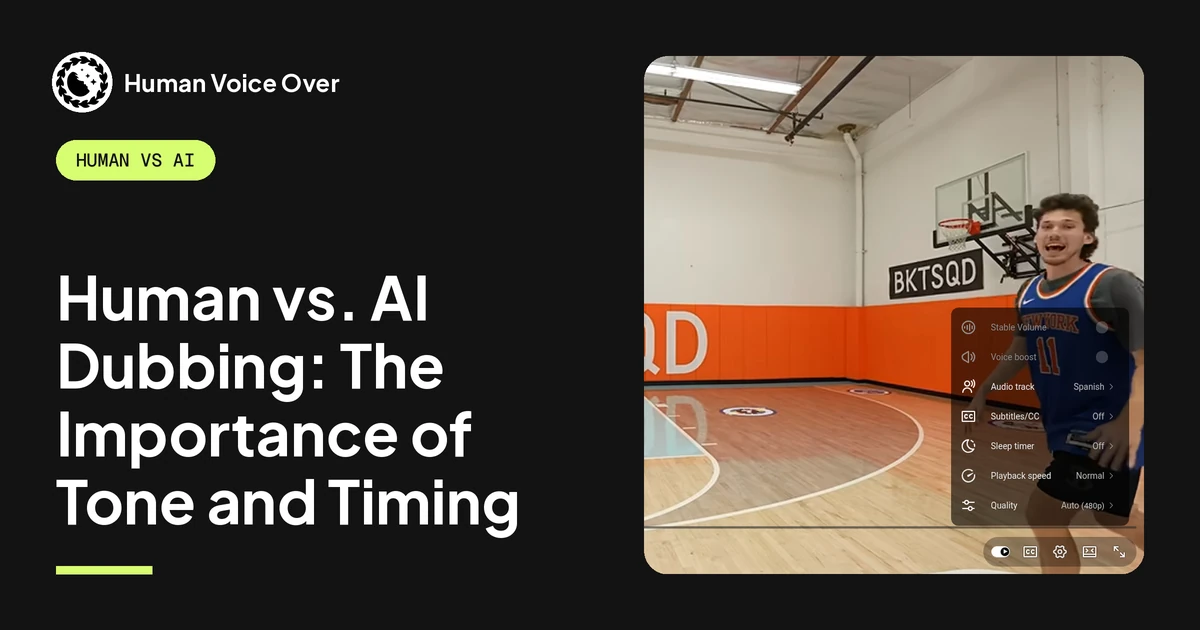
A joke works because of the pause before the punchline. A tense moment works because the voice drops. A voice actor performs the line in a studio, and every recording is checked before it goes to the mix. Some AI voices now copy pitch and intonation, but YouTube says its expressive speech covers only some languages and "won't always be used". More on this in Human vs. AI Dubbing: The Importance of Tone and Timing.
Humour and cultural adaptation
Word-for-word translation breaks wordplay, slang and references. A native translator adapts the script so the line lands in that language, and a second person checks it. YouTube's help page warns that automatic dubs can struggle with "proper nouns, idioms, and jargon". See Will AI Dubbing be culturally sensitive and appropriate?
Accents and dialects are part of this too. Spanish for Mexico is not Spanish for Spain, and Arabic and Portuguese vary just as much by region. A native translator and actor pick the variety the audience expects and the everyday words that go with it, which a single synthetic voice per language does not do.
Several people talking
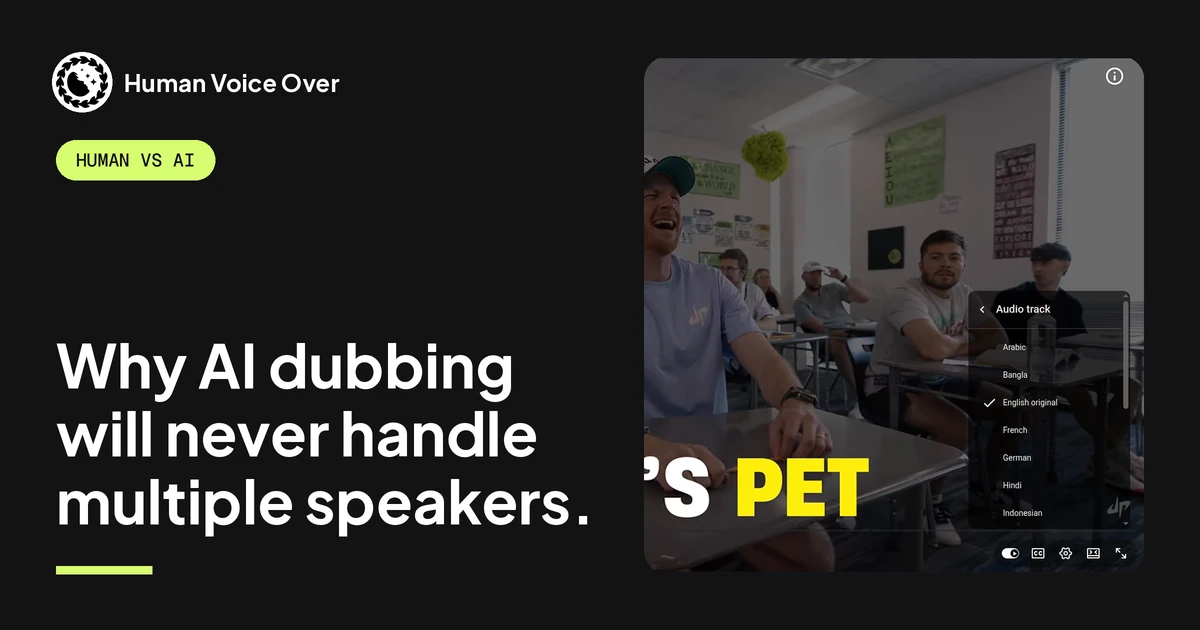
Group videos, interviews and challenge videos have interruptions, crosstalk and people laughing over each other. Each speaker needs their own voice and their own timing. With a human cast, every speaker has their own voice actor, and recurring speakers keep theirs. More in Why AI dubbing will never handle multiple speakers.
Brand risk
Sponsor reads, product claims, names and anything sensitive have to be right in every language. YouTube says automatic dubs "might contain errors due to mispronunciations, accents, dialects, or background noise", and you can't edit them. In a human dub, native speakers do a final check of every language before delivery.
What a human dub involves
This is how HVO dubs a video:
- Creator sends the video (no special files needed).
- A native translator adapts the script; a second person checks it.
- Casting: the creator picks voice actors from auditions; the same actor returns for every recurring speaker.
- Studio recording, then a recording check.
- Engineers mix in the music, sound effects and original atmosphere.
- Native speakers do a final check of every language.
- Delivery: mixed and raw audio, subtitles, and translated titles, descriptions and thumbnail text, ready for YouTube's multi-language audio.
Since mid-2025 we've dubbed 1,000+ videos and 100,000+ minutes of finished dubbed audio for 30+ creator channels, with 750+ voice actors and 600+ translators. Creators like Dude Perfect, Preston and Nick DiGiovanni dub with HVO.
You can use both on one channel
It isn't all or nothing. YouTube reports that creators who uploaded multi-language audio tracks saw over 25% of their watch time come from views in the video's non-primary language (YouTube Help), and one video can carry uploaded dubs and automatic dubs at the same time.
One example is below: Ryan Trahan's cruise video carries HVO's human Spanish dub and 20 of YouTube's automatic dubs on the same video.
A sensible split for many channels: human dubs for your main videos in the one or two languages where you have the most viewers, and automatic dubs for the back catalogue. That fits YouTube's own advice to "focus your efforts on one or two languages". If a language already has an automatic dub, you have to delete it before you can upload your own track. Here's how: Replace YouTube auto-dub with a custom human track.
Side by side: hear both dubs on one video
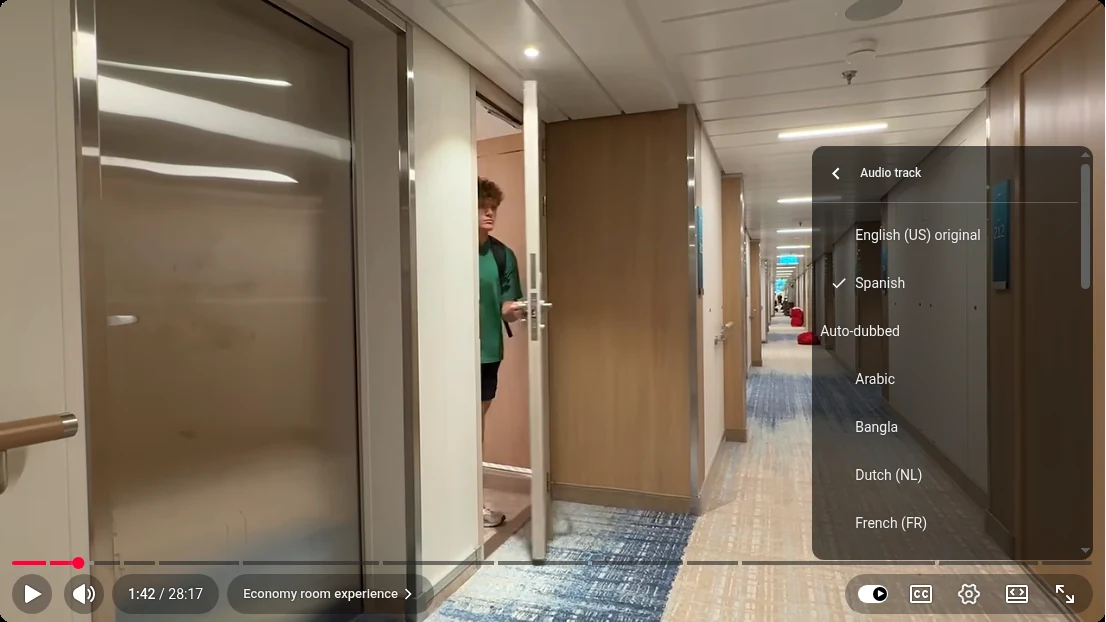
You don't have to take our word for any of this. Ryan Trahan's video I Tried Every Room on the Most Expensive Cruise has two Spanish dubs of the same video:
- "Spanish" was dubbed by HVO, with human voice actors.
- "Spanish (US)" is YouTube's automatic dub. It sits further down the menu, under the "Auto-dubbed" heading.
To compare them:
- Open the video and select the settings (gear) icon in the player.
- Select Audio track, then Spanish. That's the human dub.
- Go back to Audio track and select Spanish (US) under "Auto-dubbed". That's YouTube's automatic dub.
- Switch back and forth at the same moment in the video, at a few points through it.
Listen for the things this page is about: the jokes, the names, the timing, the moments where the energy changes, and any place where two people talk at once. Then decide for yourself. Track names are as they appeared on 5 November 2026; the creator or YouTube can change the menu at any time.
You can run the same check on your own channel. Turn on Publish manually for automatic dubbing, upload a video, and preview the automatic dub in YouTube Studio under Languages before you decide whether to publish it.
How to decide for your channel
Ask these about each video, not about the whole channel:
- Is the creator's personality the reason people watch?
- Do the same people appear in every video?
- Are there jokes, wordplay or cultural references?
- Do several people talk, interrupt or talk over each other?
- Is there a sponsor read, a product claim or anything you'd hate to get wrong?
- Will people still be watching it in a year?
Mostly yes: dub it with humans. Mostly no: an automatic dub is probably fine, as long as you've listened to it first.
To see what human dubbing would cost for your videos, the dubbing calculator gives a starting price. Or book a call and we'll go through which videos and languages make sense for your channel.
Questions creators ask
Is YouTube's automatic dubbing good enough?
For tutorials, updates and back-catalogue videos, often yes. For personality-led videos it's weaker: YouTube says automatic dubs may contain errors from mispronunciations, accents or background noise, can struggle with names and idioms, and can't be edited. Turn on Publish manually and listen before anything goes live. To hear the difference, compare the "Spanish" (HVO's human dub) and "Spanish (US)" (YouTube's auto-dub) tracks on Ryan Trahan's cruise video.
Can I replace YouTube's auto-dub with a human dub?
Yes. In YouTube Studio on a computer, open Languages, pick the video, delete the automatic dub for that language, then click Add next to Dub and upload your own audio file, roughly the same length as the video. Your channel needs access to YouTube's advanced features.
Do viewers know when a dub is AI?
Yes. YouTube marks videos with automatic dubs as "auto-dubbed" in the description, and the player's audio menu lists those tracks under an "Auto-dubbed" heading.
Can AI dubbing keep the same voice for a recurring speaker?
Not reliably. YouTube lists matching the dubbing voice to the original voice as a known difficulty. With a human cast, the same voice actor returns for every recurring speaker.
How long does human dubbing take?
At HVO, usually 7–10 days from submission to delivery for a regular long video, in any of 45+ languages.
Is human dubbing more expensive than AI dubbing?
Yes. You're paying for a translator, a second reviewer, voice actors, studio time, a mix and a native-speaker check in every language. The dubbing calculator shows the starting price.